
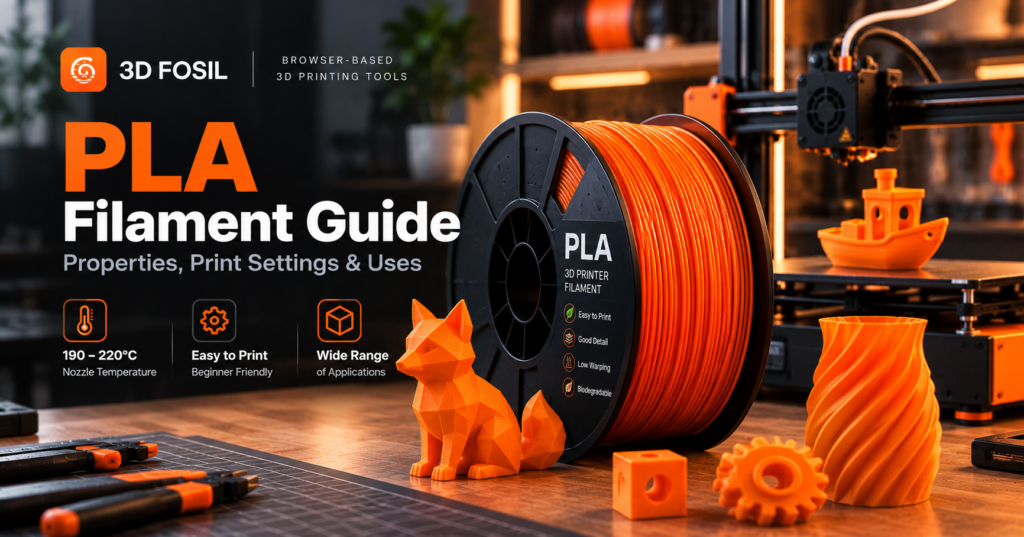
PLA is one of the most widely used materials in desktop 3D printing. It’s affordable, available in countless colors, and relatively easy to print, even if you’re just getting started.
But getting consistent results with PLA involves more than selecting a filament spool and pressing Print.
Nozzle temperature, bed adhesion, cooling, print speed, and filament storage all affect the final result.
PLA (Polylactic Acid) is a thermoplastic commonly used in FDM 3D printing because of its low warping tendency, good dimensional accuracy, and relatively accessible printing requirements.
In this guide, you’ll learn how PLA works, which settings to use, what its limitations are, and how to troubleshoot common PLA printing problems.
What Is PLA Filament?
PLA stands for Polylactic Acid, a thermoplastic polymer commonly produced from renewable feedstocks such as corn starch and sugarcane.
In FDM (Fused Deposition Modeling) and FFF (Fused Filament Fabrication) 3D printing, PLA is supplied as a continuous strand of filament.
The printer feeds this filament into a heated nozzle, where it softens and is deposited layer by layer to form a physical object.
PLA is particularly popular because it generally requires lower extrusion temperatures and less demanding thermal management than materials such as ABS.
It is commonly used for:
- Decorative objects
- Miniatures and figurines
- Educational models
- Concept prototypes
- Architectural models
- Display components
- General-purpose household accessories
Although PLA is easy to print, it isn’t suitable for every application.
Its relatively low heat resistance and potential brittleness make material selection important for functional parts.
PLA Filament Properties
Understanding PLA’s physical properties helps you determine whether it’s appropriate for your project.
| Property | Typical Characteristic |
|---|---|
| Material | Polylactic Acid |
| Printing Difficulty | Easy |
| Common Filament Diameter | 1.75 mm |
| Typical Nozzle Temperature | 190–220°C |
| Typical Bed Temperature | 45–65°C |
| Glass Transition Temperature | Approximately 55–65°C |
| Density | Approximately 1.24 g/cm³ |
| Flexibility | Low |
| Stiffness | Generally high |
| Warping Tendency | Low |
| Outdoor Durability | Limited |
| Enclosure Required | Usually no |
These are general reference values. Actual properties depend on the filament formulation and manufacturer.
Is PLA Filament Strong?
PLA can provide good stiffness and tensile strength, making it suitable for many rigid printed objects.
However, strength depends on several factors:
- Print orientation
- Layer adhesion
- Wall thickness
- Infill configuration
- Nozzle temperature
- Material formulation
- Environmental conditions
PLA can be relatively brittle compared with tougher materials such as PETG.
This means a PLA part may resist deformation under certain loads but fracture when subjected to sudden impacts.
For decorative models and rigid prototypes, PLA is often sufficient.
For components requiring greater impact toughness, another material may be preferable.
What Is the Best PLA Printing Temperature?
A nozzle temperature between 190°C and 220°C is a common starting range for standard PLA filament.
However, the ideal temperature depends on your printer, filament brand, print speed, and hotend configuration.
Printing too cold can cause poor layer adhesion and under-extrusion.
Printing too hot can increase stringing, oozing, and surface imperfections.
PLA Nozzle Temperature Guide
| Nozzle Temperature | Typical Considerations |
|---|---|
| 190°C | May work for slower printing with some PLA formulations |
| 195°C | Common lower-temperature starting point |
| 200°C | Frequently used for standard PLA |
| 205°C | Practical general-purpose starting point |
| 210°C | May improve flow and layer bonding |
| 215–220°C | May be useful for faster printing or certain formulations |
These values are not universal.
Some high-speed PLA products require temperatures above 220°C.
Always follow the manufacturer’s recommended temperature range.
How to Find the Best PLA Temperature
A temperature tower can help identify suitable extrusion temperatures for a particular filament.
A temperature tower is a test model printed at different nozzle temperatures.
You can compare:
- Surface finish
- Stringing
- Bridging performance
- Overhang quality
- Layer bonding
- Dimensional consistency
Choose a temperature that balances print quality and mechanical performance.
What Is the Best Bed Temperature for PLA?
A heated bed temperature of approximately 45–65°C is commonly used for PLA printing.
Many printers produce good results around 55–60°C, depending on the build surface and filament.
The heated bed helps the first layer adhere to the printing surface.
PLA Bed Temperature Guide
| Bed Temperature | Typical Use |
|---|---|
| 45°C | Suitable for some adhesive build surfaces |
| 50°C | Common starting point |
| 55°C | General-purpose PLA printing |
| 60°C | Frequently used for reliable first-layer adhesion |
| 65°C | May help with certain materials or environments |
Excessive bed temperature can sometimes contribute to first-layer deformation or an elephant’s foot effect.
If the first layer spreads outward, review bed temperature, nozzle height, and extrusion settings.
Does PLA Require a Heated Bed?
Not always.
Some PLA formulations can be printed on suitable unheated surfaces.
However, a heated bed generally improves consistency and first-layer adhesion.
For most modern FDM printers, using the heated bed according to the filament manufacturer’s guidance is a practical approach.
Best PLA Print Settings
PLA printing settings vary depending on the printer and filament.
The following table provides general starting values for a typical FDM printer equipped with a 0.4 mm nozzle.
| Setting | Suggested Starting Value |
|---|---|
| Nozzle Temperature | 200–210°C |
| Bed Temperature | 55–60°C |
| Layer Height | 0.20 mm |
| Wall Perimeters | 3 |
| Infill Density | 15–20% |
| Infill Pattern | Gyroid or Grid |
| Print Speed | Follow the printer’s validated profile |
| Cooling Fan | Usually high after initial layers |
| Retraction | Printer-dependent |
| Enclosure | Generally unnecessary |
These settings are illustrative, not universal recommendations.
For example, high-speed printers may require different temperature and flow configurations than conventional machines.
What Is the Best Layer Height for PLA?
Layer height controls the thickness of each printed layer.
Smaller layer heights generally improve vertical resolution but increase printing time.
Larger layer heights reduce the number of layers but may produce more visible layer lines.
For a 0.4 mm nozzle, common PLA layer heights include:
| Layer Height | Typical Application |
|---|---|
| 0.12 mm | Miniatures and fine details |
| 0.16 mm | Detailed decorative models |
| 0.20 mm | General-purpose printing |
| 0.24 mm | Faster functional prints |
| 0.28 mm | Draft models and larger objects |
For beginners, 0.20 mm is a practical starting point.
However, the ideal value depends on the model’s geometry and the desired balance between detail and printing time.
How Fast Can You Print PLA?
PLA can be printed at a wide range of speeds.
The appropriate speed depends on the printer’s motion system, hotend flow capacity, cooling performance, and filament formulation.
Some conventional printers operate at relatively modest speeds, while modern high-speed printers can use substantially faster profiles.
However, higher speed doesn’t automatically mean better results.
Printing too quickly can lead to:
- Under-extrusion
- Poor layer adhesion
- Reduced surface quality
- Ringing and vibration artifacts
- Inadequate cooling of small features
How to Improve PLA Printing Speed
If you want to print faster, consider:
- Using a validated high-speed printer profile.
- Checking the hotend’s volumetric flow capacity.
- Ensuring adequate part cooling.
- Adjusting acceleration appropriately.
- Testing surface quality and layer bonding.
- Using filament formulated for higher flow rates when necessary.
Avoid increasing print speed without considering the printer’s extrusion and cooling capabilities.
PLA Cooling Settings
PLA generally benefits from active part cooling.
Cooling helps the extruded material solidify quickly, which can improve overhangs, bridges, and small details.
For many standard PLA configurations, the cooling fan operates at a relatively high percentage after the initial layers.
However, cooling requirements depend on the model and printing conditions.
Why Cooling Matters
Insufficient cooling can cause:
- Poor overhang quality
- Deformed small features
- Sagging bridges
- Soft or uneven surfaces
Excessive cooling can sometimes reduce layer adhesion, especially when printing at high speeds or under certain environmental conditions.
Recommended Approach
Start with the cooling settings provided by your printer or filament profile.
Then adjust based on the model’s geometry and observed results.
PLA vs PLA+: What’s the Difference?
PLA+ is a marketing designation commonly used for modified PLA formulations.
Unlike standard PLA, PLA+ doesn’t have one universally defined chemical composition or performance specification.
Manufacturers may add modifiers to improve:
- Impact toughness
- Layer adhesion
- Flexibility
- Printing performance
- Surface finish
However, these improvements vary by product.
A PLA+ filament from one manufacturer may behave differently from another brand’s PLA+.
PLA vs PLA+ Comparison
| Property | PLA | PLA+ |
|---|---|---|
| Base Material | PLA | Usually modified PLA |
| Printing Difficulty | Easy | Usually easy |
| Toughness | Formulation-dependent | Often marketed as improved |
| Heat Resistance | Generally limited | Depends on formulation |
| Printing Temperature | Usually moderate | May require different settings |
| Standardized Specification | Material-specific | No universal PLA+ standard |
When comparing PLA and PLA+, use the manufacturer’s technical data rather than relying only on the product name.
Advantages of PLA Filament
PLA offers several advantages that make it popular for desktop 3D printing.
Easy to Print
PLA generally requires less demanding thermal management than ABS or ASA.
Many open-frame FDM printers can produce consistent PLA results.
Good Surface Detail
PLA is well suited to decorative models and objects with fine details.
Low Warping Tendency
Compared with ABS, PLA typically experiences less warping during cooling.
Wide Availability
PLA is available in numerous colors, finishes, and specialty formulations.
Accessible Printing Temperatures
PLA generally requires lower nozzle and bed temperatures than many engineering thermoplastics.
Renewable Feedstocks
PLA is commonly manufactured using renewable agricultural feedstocks.
However, being bio-based doesn’t automatically make PLA environmentally harmless or suitable for home composting.
Its environmental impact depends on production, use, disposal, and available waste-processing infrastructure.
Disadvantages of PLA Filament
PLA also has limitations.
Limited Heat Resistance
Standard PLA may soften or deform at elevated temperatures, particularly under mechanical load.
Potential Brittleness
Some PLA formulations are more brittle than materials such as PETG.
Limited Outdoor Durability
Extended exposure to heat, sunlight, and weather can affect PLA performance.
Not Suitable for Every Functional Part
PLA may not be appropriate for components exposed to high temperatures, repeated impacts, or demanding mechanical loads.
Moisture Sensitivity
PLA can absorb moisture over time, potentially affecting printing performance.
Proper storage remains important.
Common PLA Printing Problems and Solutions
Even though PLA is relatively easy to print, several issues can affect print quality.
1. PLA Stringing
Stringing occurs when thin strands of filament form between separate sections of a printed model.
Possible causes:
- Excessive nozzle temperature
- Inadequate retraction
- Moisture-contaminated filament
- Unsuitable travel settings
Possible solutions:
- Reduce nozzle temperature within the recommended range.
- Review retraction settings.
- Check filament moisture condition.
- Optimize travel movements.
2. Poor Bed Adhesion
Poor first-layer adhesion can cause the model to detach from the build plate.
Possible causes:
- Incorrect nozzle height
- Dirty build surface
- Unsuitable bed temperature
- Poor first-layer configuration
Possible solutions:
- Clean the build surface according to its manufacturer’s instructions.
- Verify bed leveling and Z-offset.
- Adjust first-layer settings.
- Use a suitable bed temperature.
3. Under-Extrusion
Under-extrusion occurs when the printer deposits less material than required.
Possible causes:
- Partial nozzle blockage
- Incorrect extrusion calibration
- Insufficient hotend temperature
- Excessive volumetric flow demand
- Filament feeding problems
Possible solutions:
- Inspect the nozzle and extrusion path.
- Verify material flow settings.
- Reduce printing speed if necessary.
- Check the filament and extruder mechanism.
4. Warping
PLA generally warps less than ABS, but warping can still occur.
Possible causes:
- Poor first-layer adhesion
- Excessive cooling near the build plate
- Temperature fluctuations
- Unsuitable build surface conditions
Possible solutions:
- Improve first-layer adhesion.
- Review cooling settings.
- Avoid drafts.
- Consider a brim for models with limited bed contact.
5. Poor Layer Adhesion
Weak layer bonding can reduce the strength of a printed object.
Possible causes:
- Low nozzle temperature
- Excessive cooling
- Printing too quickly
- Moisture or contamination
Possible solutions:
- Verify nozzle temperature.
- Review cooling configuration.
- Reduce speed where necessary.
- Check filament condition.
How to Store PLA Filament
PLA can absorb moisture from the surrounding environment.
Although it is generally less moisture-sensitive than some materials, such as nylon, improper storage can still affect print quality.
Recommended Storage Practices
- Store filament in airtight containers or sealed bags.
- Use suitable desiccant.
- Keep filament away from excessive heat and sunlight.
- Monitor storage humidity where practical.
- Dry filament when moisture-related symptoms appear.
Can You Dry PLA Filament?
Yes.
PLA can be dried using a suitable filament dryer or another manufacturer-approved method.
However, drying temperatures must be controlled carefully.
Excessive heat can deform the filament or spool.
Always follow the manufacturer’s drying recommendations.
Is PLA Filament Biodegradable?
PLA is often described as biodegradable because it is a bio-based polymer that can break down under certain controlled conditions.
However, this description requires context.
Standard PLA should not be assumed to biodegrade quickly in soil, seawater, or a home compost bin.
Effective composting generally requires controlled industrial conditions, and actual compostability depends on the specific product and applicable certification.
PLA also should not automatically be placed in conventional plastic recycling streams.
Disposal options depend on local recycling and waste-processing infrastructure.
How Much Does PLA Filament Cost Per Print?
The material cost of a PLA print depends on filament consumption and spool price.
A simple calculation is:
Material Cost = Filament Used × Cost per Gram
For example:
A 1 kg PLA spool costs $20.
Cost per gram:
$20 ÷ 1,000 = $0.02
If your print consumes 60 grams:
60 × $0.02 = $1.20
The estimated PLA material cost is $1.20.
This calculation excludes electricity, machine wear, failed prints, labor, and other expenses.
Estimate PLA Consumption With 3D Fosil
3D Fosil provides browser-based slicing tools for preparing models and estimating printing requirements.
By selecting a printer profile and configuring the appropriate material settings, you can evaluate estimated filament consumption and printing time before starting production.
This can help you compare different slicing configurations and plan material usage.
How to Slice PLA Models Online With 3D Fosil
You don’t need to install traditional desktop slicing software to prepare PLA models.
3D Fosil provides an online slicing environment that allows you to configure printing parameters and generate G-code through a compatible browser.
Step 1: Upload Your Model
Open 3D Fosil and import your STL or another supported model format.
Step 2: Select Your Printer
Choose the printer profile that matches your equipment.
Step 3: Configure PLA Settings
Select the appropriate material configuration and review nozzle temperature, bed temperature, cooling, and other printing parameters.
Step 4: Adjust Model Orientation
Position the model on the build plate and verify its dimensions.
Step 5: Configure Layer Height and Infill
Choose suitable values based on your desired detail, strength, and printing time.
Step 6: Generate G-code
Use the online slicing tools to prepare the model and generate printer-compatible instructions.
Before printing, verify the output and confirm compatibility with your printer.
Frequently Asked Questions About PLA Filament
What temperature should PLA be printed at?
Standard PLA is commonly printed at nozzle temperatures between 190°C and 220°C. The ideal temperature depends on the filament manufacturer, printer, and print speed.
What bed temperature is best for PLA?
A bed temperature around 55–60°C is a common starting point, although suitable values vary by build surface and filament.
Is PLA stronger than PETG?
PLA can be stiffer and may provide competitive tensile strength, but PETG is generally tougher and less brittle. The better material depends on the application.
Does PLA require an enclosure?
Usually not. Many PLA filaments print successfully on open-frame FDM printers.
Is PLA safe for indoor 3D printing?
PLA generally produces lower emissions than some higher-temperature materials, but printing still generates airborne particles and potentially volatile compounds. Appropriate ventilation and exposure management are recommended.
Can PLA be used outdoors?
PLA can be used outdoors in certain limited applications, but prolonged exposure to heat, sunlight, and weather can reduce its performance.
How long does PLA filament last?
There is no universal expiration date. Properly stored PLA can remain usable for extended periods, although moisture, heat, and aging can affect its condition.
Is PLA waterproof?
Bulk PLA has some resistance to water, but FDM-printed PLA objects are not automatically watertight. Layer bonding, geometry, and printing parameters influence leakage.
Can PLA filament be recycled?
PLA recycling is technically possible, but collection and processing options vary by location. PLA should not automatically be mixed with conventional household plastic recycling.
What is the best layer height for PLA?
For many printers using a 0.4 mm nozzle, 0.20 mm is a practical starting point. Smaller layer heights can improve detail, while larger heights may reduce printing time.
Final Thoughts: Is PLA the Right Filament for You?
PLA remains one of the most accessible materials for desktop 3D printing.
Its relatively easy printing requirements, good surface detail, and low warping tendency make it an excellent starting point for beginners.
However, PLA isn’t the right material for every application.
If your project requires additional toughness, higher temperature resistance, or long-term outdoor durability, other materials may be more suitable.
The best results come from combining the right material with appropriate printing settings.
Before starting your next PLA print, review your model, select a suitable printer profile, and configure your slicing parameters.
With 3D Fosil, you can analyze and slice your 3D models directly from your browser.
Visit 3dfosil.com to explore online STL analysis and slicing tools.