
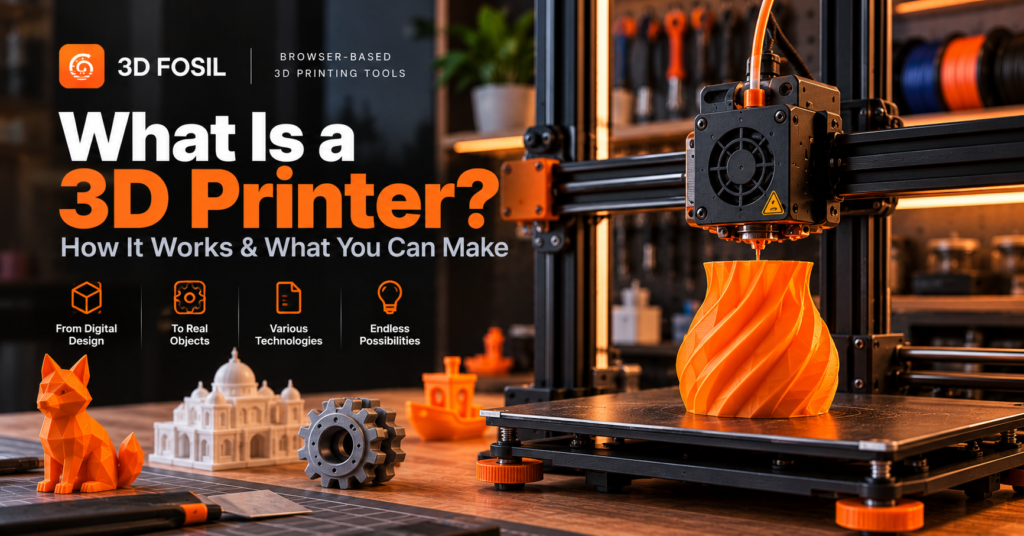
Imagine designing an object on your computer and turning it into something you can actually hold.
A replacement part for a household appliance. A custom phone stand. A miniature architectural model. Or a prototype of a product you’re developing.
This is what 3D printing makes possible.
Unlike traditional manufacturing methods that often involve cutting, drilling, or removing material from a larger piece, most 3D printing processes build objects by adding material layer by layer.
But what exactly is a 3D printer, how does it work, and what can you realistically create with one?
A 3D printer is a machine that creates physical three-dimensional objects from digital models using an additive manufacturing process.
Depending on the technology, a 3D printer may use plastic filament, liquid resin, polymer powder, metal powder, or other materials to manufacture objects.
In this guide, we’ll explain how 3D printers work, explore the most common printing technologies, discuss their advantages and limitations, and show you how to prepare your first 3D print.
What Is a 3D Printer?
A 3D printer is a computer-controlled manufacturing machine that produces physical objects based on digital three-dimensional designs.
The process is known as additive manufacturing because material is added to create the final object.
Traditional subtractive manufacturing methods, such as CNC milling, remove material from a solid block.
3D printing takes a different approach.
Instead of removing material, the machine builds the object through a sequence of controlled manufacturing steps.
For many common 3D printing technologies, this involves producing successive layers that combine to form the final shape.
What Is 3D Printing Used For?
3D printing is used in many industries and applications, including:
- Product design and prototyping
- Engineering and manufacturing
- Education and research
- Architecture
- Healthcare and dentistry
- Automotive development
- Aerospace engineering
- Art and sculpture
- Hobby projects
- Customized consumer products
One of the main advantages of 3D printing is the ability to manufacture customized objects without creating dedicated molds or specialized tooling for every design.
This makes it particularly useful for prototypes, small production runs, and complex geometries.
How Does a 3D Printer Work?
A 3D printer transforms a digital model into a physical object through a series of manufacturing steps.
Although the exact process depends on the printing technology, most workflows follow a similar sequence.
Step 1: Create or Download a 3D Model
Every 3D print begins with a digital model.
You can create a model using computer-aided design (CAD) software or download an existing design.
Common 3D modeling applications include:
- Autodesk Fusion
- Blender
- FreeCAD
- Tinkercad
- Onshape
The model describes the object’s geometry, dimensions, and overall shape.
Once the design is ready, it can be exported in a format supported by your printing workflow.
Common formats include STL, OBJ, and 3MF.
Step 2: Prepare the Model for Printing
Before printing, the model must be prepared for the selected manufacturing process.
For filament-based printers, this usually involves slicing.
Slicing is the process of converting a 3D model into layers and generating the instructions required by the printer.
A slicer determines how the object should be manufactured based on settings such as:
- Layer height
- Print speed
- Wall thickness
- Infill density
- Support structures
- Nozzle temperature
- Build plate temperature
- Cooling configuration
For many FDM printers, the resulting instructions are stored in a G-code file.
Different printing technologies may use different preparation workflows and file formats.
Step 3: Load the Printing Material
The printer needs a compatible material.
For FDM printers, this is typically a thermoplastic filament supplied on a spool.
Common filament materials include:
- PLA
- PETG
- ABS
- ASA
- TPU
- Nylon
Resin printers use liquid photopolymer materials.
Other industrial systems may use polymer or metal powders.
The material must be compatible with the printer and suitable for the intended application.
Step 4: Start the Printing Process
Once the model and material are ready, the printer begins manufacturing the object.
For a typical FDM printer, the process involves:
- Heating the nozzle and build plate.
- Feeding filament into the hotend.
- Extruding softened material through the nozzle.
- Depositing material along programmed paths.
- Building successive layers until the object is complete.
The printer follows the instructions generated during the slicing process.
Step 5: Remove and Finish the Object
After printing, the object may require additional work.
Depending on the technology and model, this can include:
- Removing support structures
- Cleaning the surface
- Sanding
- Painting
- Assembling multiple components
- Inspecting dimensions
- Post-curing resin prints
Some FDM prints are ready to use immediately after cooling.
Others require additional finishing or assembly.
What Are the Main Types of 3D Printers?
Not all 3D printers use the same manufacturing process.
The most common technologies include FDM, SLA, and SLS.
Each has different advantages, material requirements, and applications.
1. FDM 3D Printers
FDM (Fused Deposition Modeling) is one of the most widely used technologies in desktop 3D printing.
It is also commonly called FFF (Fused Filament Fabrication).
FDM printers manufacture objects by heating thermoplastic filament and depositing it through a nozzle.
The material cools and solidifies to form the printed object.
Advantages of FDM
- Accessible for beginners
- Wide range of filament materials
- Relatively affordable equipment
- Suitable for functional prototypes
- Straightforward material handling compared with resin printing
- Large community and software ecosystem
Disadvantages of FDM
- Visible layer lines
- Limited detail compared with some resin processes
- Support structures may be required
- Mechanical properties depend on print orientation
- Warping and adhesion problems can occur
Common FDM Applications
FDM printers are frequently used for:
- Prototypes
- Household accessories
- Mechanical brackets
- Enclosures
- Educational projects
- Decorative models
- Custom replacement parts
For many beginners, FDM is a practical starting point because of its accessibility and material options.
2. SLA 3D Printers
SLA (Stereolithography) uses light to cure liquid photopolymer resin.
In traditional SLA systems, a laser selectively cures regions of resin to create solid geometry.
Related vat photopolymerization technologies use different light sources, such as projected images or LCD-masked light.
These systems are often grouped under the broader category of resin 3D printing.
Advantages of SLA
- Fine surface details
- Smooth surface finish
- High geometric precision for suitable applications
- Useful for small, complex models
Disadvantages of SLA
- Resin handling requires safety precautions
- Prints generally require cleaning and post-curing
- Material properties vary significantly
- Consumables and post-processing add cost
- Suitable ventilation and protective equipment are important
Common SLA Applications
Resin-based printing is frequently used for:
- Miniatures
- Jewelry patterns
- Dental models
- Detailed prototypes
- Small decorative objects
- Precision components
3. SLS 3D Printers
SLS (Selective Laser Sintering) uses a laser to fuse powdered material, commonly nylon-based polymers.
Unlike FDM, SLS does not extrude filament through a nozzle.
Instead, it selectively fuses regions of a powder bed.
The surrounding unfused powder helps support the part during manufacturing.
Advantages of SLS
- Complex geometries
- No conventional support structures for many designs
- Useful mechanical properties
- Suitable for functional prototypes and production parts
- Efficient nesting of multiple parts within a build volume
Disadvantages of SLS
- Higher equipment costs
- Powder handling requirements
- Additional post-processing
- More demanding operational environment
- Typically less accessible for home users
Common SLS Applications
SLS is often used for:
- Engineering prototypes
- Functional mechanical components
- Small-batch production
- Complex assemblies
- Industrial applications
FDM vs SLA vs SLS: Quick Comparison
| Feature | FDM | SLA | SLS |
|---|---|---|---|
| Main Material | Thermoplastic filament | Liquid photopolymer resin | Polymer powder |
| Manufacturing Method | Material extrusion | Light-based resin curing | Laser powder fusion |
| Detail Capability | Good | Excellent | Good |
| Surface Finish | Visible layer lines | Generally smooth | Often slightly grainy |
| Equipment Cost | Generally low to moderate | Low to high | Generally high |
| Post-Processing | Usually limited | Cleaning and curing | Powder removal and finishing |
| Beginner Accessibility | High | Moderate | Low |
| Typical Applications | Prototypes and functional parts | Detailed models | Engineering and production parts |
These are general comparisons. Actual results depend on printer specifications, materials, process settings, and model geometry.
What Are the Main Parts of an FDM 3D Printer?
Understanding the basic components of an FDM printer makes it easier to operate and troubleshoot.
Extruder
The extruder controls filament feeding.
It uses a mechanical drive system to push filament toward the hotend.
Hotend
The hotend heats the filament to a temperature suitable for extrusion.
It typically includes a heater, temperature sensor, heat break, and nozzle assembly.
Nozzle
The nozzle controls where molten material is deposited.
A common nozzle diameter is 0.4 mm, although other sizes are available.
Build Plate
The build plate provides the surface on which the object is printed.
Some printers use heated build plates to improve adhesion and control cooling.
Motion System
The motion system positions the print head and build plate.
Different printer designs use different mechanical arrangements.
Cooling Fans
Cooling fans help regulate hotend temperatures and control how printed material solidifies.
Control Board
The control board interprets printer instructions and manages motors, heaters, sensors, and other components.
Filament Spool
The spool supplies the material used during printing.
Proper filament feeding and storage are important for consistent extrusion.
What Materials Do 3D Printers Use?
The material depends on the printing technology.
For FDM printing, thermoplastic filaments are the most common option.
Common FDM Materials
| Filament | Main Characteristics | Typical Applications |
|---|---|---|
| PLA | Easy to print, relatively stiff | Decorative objects and prototypes |
| PETG | Tough, practical chemical resistance | Functional components |
| ABS | Good impact and heat resistance | Mechanical housings |
| ASA | Weather and UV resistance | Outdoor components |
| TPU | Flexible and elastic | Protective covers and flexible parts |
| Nylon | Tough, engineering-oriented properties | Mechanical components |
Each filament requires suitable printing conditions.
For example, PLA generally requires less demanding temperature control than ABS.
TPU may require slower printing speeds and a compatible extrusion system.
Nylon often requires careful moisture management.
Selecting the right material is essential for producing parts that meet their intended requirements.
What Can You Make With a 3D Printer?
One of the most appealing aspects of 3D printing is the variety of objects you can create.
The possibilities range from simple household accessories to complex engineering prototypes.
1. Household Accessories
3D printers can produce practical everyday objects.
Examples include:
- Cable organizers
- Drawer dividers
- Phone stands
- Desk accessories
- Storage brackets
- Wall-mounted holders
These projects are often suitable for beginners.
2. Replacement Parts
3D printing can be useful for manufacturing replacement components that are difficult to purchase.
Examples include:
- Plastic clips
- Knobs
- Covers
- Mounting brackets
- Non-critical mechanical components
However, printed replacements must be evaluated for their intended loads and operating conditions.
Safety-critical parts should not be substituted without appropriate engineering validation.
3. Engineering Prototypes
Engineers and product designers use 3D printing to evaluate designs before manufacturing.
A prototype can help test:
- Dimensions
- Assembly compatibility
- Ergonomics
- Mechanical fit
- Visual appearance
- Functional concepts
Rapid prototyping can reduce development time by allowing multiple design iterations.
4. Miniatures and Figurines
3D printing is widely used for artistic and decorative objects.
Examples include:
- Game miniatures
- Figurines
- Sculptures
- Collectibles
- Architectural models
FDM printers can produce many decorative objects, while resin printers are often preferred for very fine details.
5. Tools and Workshop Accessories
3D printing can help organize and customize workshops.
Examples include:
- Tool holders
- Measuring guides
- Assembly fixtures
- Storage organizers
- Jigs
- Custom adapters
Material selection is especially important when printed tools are exposed to mechanical loads.
6. Educational Models
Schools and universities use 3D printing to create physical teaching materials.
Examples include:
- Geometric models
- Mechanical demonstrations
- Architectural structures
- Scientific models
- Engineering prototypes
Physical models can make abstract concepts easier to understand.
7. Customized Products
3D printing allows users to create objects with personalized dimensions and designs.
Examples include:
- Custom nameplates
- Personalized gifts
- Product accessories
- Decorative signs
- Custom-fit organizers
This flexibility makes 3D printing useful for small businesses and independent creators.
How Much Does a 3D Printer Cost?
3D printer prices vary considerably depending on technology, size, features, and manufacturer.
For consumer FDM printers, approximate equipment categories include:
| Printer Category | Illustrative Price Range (USD) |
|---|---|
| Entry-Level FDM | $150–$350 |
| Mid-Range FDM | $350–$800 |
| Advanced Consumer FDM | $800–$2,000+ |
| Professional and Industrial Systems | Several thousand dollars and above |
These ranges are illustrative, not live market quotations. Prices vary by region, taxes, manufacturer, and included features.
The purchase price is only part of the total cost.
Additional expenses may include:
- Filament or resin
- Replacement nozzles
- Build surfaces
- Maintenance parts
- Electricity
- Ventilation equipment
- Post-processing supplies
- Failed prints
For beginners, a reliable entry-level FDM printer is often sufficient for learning the fundamentals.
How Much Does It Cost to 3D Print an Object?
The cost of printing depends on material consumption, machine operation, and other expenses.
For FDM printing, filament consumption is one of the most important variables.
A simplified material cost formula is:
Material Cost = Filament Used (g) × Cost per Gram
For example:
Suppose a 1 kg spool of PLA costs $20.
The cost per gram is:
$20 ÷ 1,000 = $0.02
If a model requires 80 grams of filament:
80 × $0.02 = $1.60
The estimated filament cost would be $1.60.
This excludes electricity, machine depreciation, labor, failed prints, and other expenses.
Why Slicing Matters for Cost Estimation
Before printing, slicing software can estimate the amount of material required.
These estimates depend on:
- Model geometry
- Infill density
- Wall count
- Support structures
- Layer height
- Printer configuration
Changing these settings can affect both material consumption and printing time.
With 3D Fosil’s browser-based slicing tools, you can prepare models and review available printing estimates before manufacturing.
Do You Need Special Software for a 3D Printer?
Most 3D printing workflows require software to prepare a digital model for manufacturing.
For FDM printers, this usually includes slicing software.
Traditional slicers are often installed on a computer.
However, browser-based slicing tools provide an alternative.
Can You Use a 3D Printer Without Installing Slicer Software?
Yes. You can prepare compatible 3D models for printing using an online slicer without installing traditional desktop slicing software.
Browser-based tools allow users to upload models, configure printing parameters, and generate printing instructions.
This can be useful when working across different computers or when you prefer not to install additional software.
Online 3D Slicing With 3D Fosil
3D Fosil provides a browser-based environment for preparing 3D models.
Its tools include:
- Model uploading
- STL analysis
- Printer profile selection
- Filament configuration
- Model positioning
- Slicing settings
- G-code generation
Users can prepare compatible models directly through a web browser.
This provides an alternative workflow for users who want to manage slicing without installing conventional desktop software.
How to Prepare Your First 3D Print
If you’re new to 3D printing, the following workflow provides a practical starting point for FDM printing.
Step 1: Choose a Beginner-Friendly Model
Start with a relatively simple object.
Examples include:
- A small storage container
- A phone stand
- A calibration cube
- A cable organizer
Avoid complex models with extensive overhangs for your first print.
Step 2: Select the Right Filament
PLA is generally a good starting material.
It is widely available and usually easier to print than ABS or ASA.
Step 3: Check Your Model
Before slicing, verify that the model has suitable dimensions and geometry.
Potential issues include:
- Thin walls
- Open surfaces
- Incorrect scale
- Unsupported overhangs
- Geometry defects
3D Fosil’s STL Analysis tools can help evaluate potential printability concerns.
Step 4: Configure Your Printer
Select the correct printer profile.
Check that the printer’s nozzle, build plate, and material configuration match your equipment.
Step 5: Configure Slicing Settings
For a typical PLA print using a 0.4 mm nozzle, illustrative starting settings include:
| Setting | Starting Point |
|---|---|
| Nozzle Temperature | 200–210°C |
| Bed Temperature | 55–60°C |
| Layer Height | 0.20 mm |
| Infill Density | 15–20% |
| Wall Perimeters | 3 |
| Cooling | Usually high after initial layers |
Always prioritize the printer and filament manufacturer’s recommendations.
Step 6: Generate G-code
Use a compatible slicer to convert your model into printer instructions.
Review the toolpaths and estimated printing requirements where available.
Step 7: Start Printing
Transfer the generated instructions to your printer using a supported method.
Check the first layer carefully.
Poor first-layer adhesion is one of the most common causes of failed prints.
Step 8: Inspect the Finished Object
After the print is complete and the build plate has cooled sufficiently, remove the object.
Check its dimensions, surface quality, and overall condition.
Use the results to improve future printing settings.
What Are the Advantages of 3D Printing?
3D printing offers several benefits compared with conventional manufacturing methods.
Rapid Prototyping
Designers can manufacture prototypes without waiting for specialized tooling.
Customization
Objects can be manufactured with unique dimensions and features.
Complex Geometries
Certain shapes that are difficult to manufacture using traditional methods can be produced with additive manufacturing.
Reduced Tooling Requirements
Many 3D printing processes do not require dedicated molds.
Small-Batch Manufacturing
3D printing can be economical for limited production quantities.
Design Iteration
Digital models can be modified and printed again, making experimentation easier.
What Are the Limitations of 3D Printing?
Despite its advantages, 3D printing has limitations.
Printing Time
Large or detailed objects can require many hours to manufacture.
Material Restrictions
Not every material is compatible with every printer.
Mechanical Properties
Printed parts may have different mechanical properties depending on print orientation and process settings.
Surface Finish
Some technologies produce visible layers or require additional finishing.
Dimensional Accuracy
Printing tolerances depend on machine calibration, material behavior, and process conditions.
Equipment Maintenance
Printers require periodic inspection, cleaning, calibration, and component replacement.
Understanding these limitations helps users choose appropriate applications.
Is 3D Printing Difficult for Beginners?
3D printing has become more accessible, but beginners still need to learn several basic concepts.
These include:
- Model preparation
- Material selection
- Slicing
- Bed adhesion
- Temperature settings
- Printer maintenance
- Basic troubleshooting
Modern printers automate many operations, but successful printing still requires understanding the relationship between the model, material, machine, and printing parameters.
Starting with simple PLA models and validated printer profiles is often the easiest approach.
Frequently Asked Questions About 3D Printers
What is a 3D printer in simple terms?
A 3D printer is a machine that creates physical objects from digital designs by adding or solidifying material in a controlled manufacturing process.
How does a 3D printer work?
A 3D printer follows digital manufacturing instructions to build an object. In FDM printing, it heats plastic filament and deposits it layer by layer.
What can you make with a 3D printer?
You can make prototypes, household accessories, decorative models, tools, replacement parts, educational objects, and customized products.
What is the best type of 3D printer for beginners?
FDM printers are often recommended for beginners because they are widely available, relatively affordable, and compatible with many filament materials.
Do 3D printers need a computer?
A computer or another compatible device is generally needed to create or prepare printing files. However, many printers can operate independently once valid instructions have been transferred.
Can I use a 3D printer without installing software?
Yes. Browser-based slicing platforms such as 3D Fosil can prepare compatible models and generate G-code without requiring traditional desktop slicing software.
What material does a 3D printer use?
FDM printers commonly use thermoplastic filament, while resin printers use liquid photopolymers. Other technologies may use polymer powders, metals, or specialized materials.
How long does 3D printing take?
Printing time depends on model size, geometry, layer height, speed, and printing technology. A small object may take less than an hour, while large or complex prints can take many hours or longer.
Is 3D printing expensive?
Costs vary by equipment and application. Entry-level FDM printing can be relatively affordable, but material, maintenance, electricity, and failed prints contribute to ongoing expenses.
Are 3D printers safe to use at home?
3D printers can be used at home with appropriate precautions. Consider ventilation, emissions, hot surfaces, moving components, electrical safety, and material-specific handling requirements. Resin printing requires additional chemical safety measures.
What is the difference between a 3D printer and a regular printer?
A conventional printer deposits ink or toner onto a surface, usually paper. A 3D printer manufactures physical three-dimensional objects from digital models.
What is G-code in 3D printing?
G-code is a machine instruction format commonly used by FDM printers to control movements, extrusion, temperatures, and other printing operations.
Final Thoughts: Getting Started With 3D Printing
3D printing makes it possible to transform digital ideas into physical objects.
From simple household accessories to engineering prototypes, the technology provides opportunities for creativity, customization, and manufacturing.
For beginners, understanding the relationship between 3D models, filament materials, slicing software, and printer settings is the foundation of successful printing.
You don’t need to master every technical detail before starting.
Begin with a simple model, choose a suitable material, and use a validated printer configuration.
As your experience grows, you can experiment with different materials, advanced settings, and more complex designs.
3D Fosil helps simplify model preparation with browser-based STL analysis and online slicing tools.
Upload your model, select your printer, configure your settings, and prepare your next 3D print without installing traditional desktop slicing software.
Explore the platform at 3dfosil.com.
From digital models to physical objects, every print starts with preparation.