
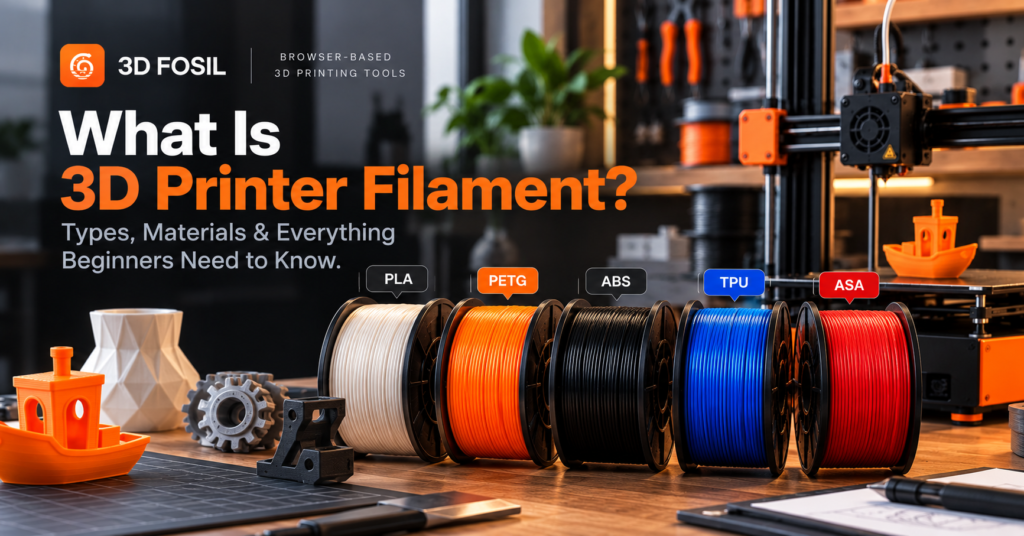
If you’re getting started with 3D printing, one of the first things you’ll need to understand is filament.
Walk into any 3D printing workshop, and you’ll probably see several spools of plastic in different colors. Some are designed for everyday objects, while others are made for flexible parts, mechanical components, or applications that require higher temperature resistance.
But what exactly is 3D printer filament, and how do you choose the right one?
3D printer filament is a thermoplastic material, usually supplied on a spool, that is melted and extruded through a heated nozzle to create three-dimensional objects layer by layer.
It is the primary printing material used in FDM (Fused Deposition Modeling) and FFF (Fused Filament Fabrication) 3D printers.
In this beginner’s guide, we’ll cover how filament works, the most common filament types, their differences, recommended printing temperatures, and how to select the right material for your projects.
What Is 3D Printer Filament?
3D printer filament is a continuous strand of material used by filament-based 3D printers to manufacture physical objects.
Most commonly, filament is made from thermoplastic polymers that soften when heated and solidify as they cool.
The material is typically wound onto a spool and fed into the printer’s extrusion system.
During printing, the filament passes through a heated nozzle, where it melts and is deposited onto the build plate or previously printed layers.
The printer follows instructions generated by slicing software to create the object one layer at a time.
Common filament materials include:
- PLA (Polylactic Acid): Easy to print and widely used for general-purpose objects.
- PETG (Polyethylene Terephthalate Glycol-Modified): A durable material with good toughness and practical chemical resistance.
- ABS (Acrylonitrile Butadiene Styrene): Used for functional parts that require greater heat resistance.
- ASA (Acrylonitrile Styrene Acrylate): Known for its weather and UV resistance.
- TPU (Thermoplastic Polyurethane): A flexible material used for elastic components.
- Nylon (Polyamide): Used for selected mechanical and engineering applications.
Each material has different characteristics, printing requirements, and limitations.
Choosing the right filament can significantly affect the quality, durability, appearance, and functionality of your printed object.
How Does 3D Printer Filament Work?
Filament-based 3D printing uses a process known as material extrusion.
A 3D printer feeds thermoplastic filament into a heated extrusion assembly and deposits the softened material through a nozzle.
The deposited material cools and solidifies, bonding with adjacent material to form the printed object.
Here’s how the process works.
Step 1: Filament Enters the Extruder
The printer’s extrusion mechanism grips the filament and pushes it toward the hotend.
Depending on the printer design, the extruder may be positioned directly above the hotend or connected through a Bowden tube.
Step 2: The Filament Is Heated
The filament enters the hotend, where it reaches a temperature suitable for extrusion.
Different materials require different temperatures.
For example, PLA is commonly printed at lower temperatures than ABS or nylon.
Step 3: Molten Material Is Extruded
The softened material passes through the nozzle and is deposited onto the build plate.
A common nozzle diameter is 0.4 mm, although other sizes are available.
Step 4: The Printer Builds Layers
The printer follows G-code instructions generated by a slicer.
These instructions control movements, extrusion, temperatures, and other printing operations.
The object gradually takes shape as the printer deposits successive layers.
Step 5: The Material Cools and Solidifies
As the extruded material cools, it solidifies and forms the finished object.
Cooling behavior varies between materials.
For example, PLA generally benefits from substantial part cooling, while ABS often requires a warmer, more controlled printing environment.
What Are the Different Types of 3D Printer Filament?
There are many filament materials available, but beginners should become familiar with a few common options first.
1. PLA Filament
PLA is one of the most popular filament materials for beginners because it is relatively easy to print and generally requires less demanding temperature control.
PLA is widely used for:
- Decorative objects
- Miniatures
- Display models
- Educational projects
- Prototypes
- General-purpose household items
Advantages of PLA
- Easy to print on many FDM printers
- Relatively low printing temperatures
- Good dimensional accuracy
- Available in many colors and finishes
- Usually produces limited warping compared with ABS
Disadvantages of PLA
- Limited heat resistance
- Can become brittle depending on formulation and conditions
- Not ideal for many high-temperature applications
- Long-term outdoor durability varies
Typical PLA printing temperatures:
| Setting | Common Starting Range |
|---|---|
| Nozzle Temperature | 190–220°C |
| Bed Temperature | 45–65°C |
| Cooling | Usually high after initial layers |
| Enclosure | Generally not required |
Best for: Functional prints, brackets, protective parts, and general-purpose mechanical components.
3. ABS Filament
ABS is a thermoplastic commonly used in manufactured consumer products and mechanical components.
Compared with PLA, ABS generally offers greater temperature resistance, but it can be more challenging to print.
ABS is frequently used for:
- Mechanical housings
- Functional prototypes
- Tool enclosures
- Automotive interior components
- Parts exposed to moderately elevated temperatures
Advantages of ABS
- Good impact resistance
- Higher heat resistance than standard PLA
- Can be machined and post-processed
- Suitable for many functional applications
Disadvantages of ABS
- Prone to warping
- Requires careful temperature management
- Often benefits from an enclosed printer
- Produces emissions that require appropriate ventilation and exposure controls
Typical ABS printing temperatures:
| Setting | Common Starting Range |
|---|---|
| Nozzle Temperature | 230–260°C |
| Bed Temperature | 90–110°C |
| Cooling | Usually limited |
| Enclosure | Strongly recommended |
Best for: Functional components, enclosures, and applications requiring greater heat resistance.
4. TPU Filament
TPU is a flexible thermoplastic material.
Unlike rigid materials such as PLA and ABS, TPU can bend and deform under pressure.
Its flexibility depends on the specific formulation and Shore hardness rating.
TPU is commonly used for:
- Phone cases
- Protective covers
- Flexible joints
- Vibration-damping components
- Grips
- Seals and gaskets
Advantages of TPU
- Flexible and elastic
- Good abrasion resistance
- Useful impact absorption
- Suitable for flexible functional components
Disadvantages of TPU
- Can be difficult to feed through some extrusion systems
- Often requires slower printing speeds
- May produce stringing
- Soft grades can be challenging on Bowden extruders
Typical TPU printing temperatures:
| Setting | Common Starting Range |
|---|---|
| Nozzle Temperature | 210–240°C |
| Bed Temperature | 30–60°C |
| Print Speed | Often slower than rigid materials |
| Enclosure | Usually not required |
Best for: Flexible components, protective parts, grips, and vibration-damping applications.
5. ASA Filament
ASA is an engineering thermoplastic known for its resistance to weathering and ultraviolet exposure.
It shares several characteristics with ABS but is often preferred for outdoor applications.
ASA is commonly used for:
- Outdoor enclosures
- Automotive accessories
- Weather-exposed brackets
- Garden equipment components
- Functional outdoor parts
Advantages of ASA
- Good UV resistance
- Better outdoor durability than standard ABS in many applications
- Good temperature resistance
- Suitable for functional parts
Disadvantages of ASA
- Requires relatively high printing temperatures
- Can warp during printing
- Often requires an enclosure
- Produces emissions that require appropriate ventilation
Typical ASA printing temperatures:
| Setting | Common Starting Range |
|---|---|
| Nozzle Temperature | 240–270°C |
| Bed Temperature | 90–110°C |
| Cooling | Usually limited |
| Enclosure | Strongly recommended |
Best for: Outdoor parts and components requiring weather resistance.
PLA vs PETG vs ABS vs TPU vs ASA
Choosing between filament materials becomes easier when you compare their practical characteristics.
| Property | PLA | PETG | ABS | TPU | ASA |
|---|---|---|---|---|---|
| Printing Difficulty | Easy | Easy–Moderate | Moderate–Hard | Moderate | Moderate–Hard |
| Flexibility | Low | Low–Moderate | Low | High | Low |
| Heat Resistance | Low | Moderate | Good | Varies | Good |
| Outdoor Suitability | Limited | Moderate | Limited | Varies | Good |
| Warping Risk | Low | Low–Moderate | High | Low | High |
| Typical Use | General prints | Functional parts | Mechanical parts | Flexible objects | Outdoor parts |
| Beginner Friendly | Excellent | Good | Limited | Moderate | Limited |
These are general comparisons. Actual properties depend on the specific filament formulation, manufacturer, printing conditions, and part geometry.
For most beginners, PLA is the easiest starting point.
If you need additional toughness, PETG is often a practical next step.
For flexible components, TPU is the more suitable choice.
For outdoor applications, ASA is worth considering.
What Filament Size Do 3D Printers Use?
Filament diameter is an important compatibility requirement.
The two most common nominal filament diameters are:
1.75 mm
Widely used by modern consumer and professional FDM printers.
2.85 mm
Used by certain printer systems and older designs.
These filament sizes are not interchangeable.
A printer designed for 1.75 mm filament cannot simply use 2.85 mm filament without appropriate hardware changes.
Before purchasing filament, check your printer’s supported diameter.
Does Filament Diameter Affect Print Quality?
Filament diameter consistency can affect extrusion accuracy.
If the filament diameter varies significantly, the printer may extrude more or less material than expected.
High-quality filament generally maintains tighter dimensional tolerances.
This helps produce more consistent extrusion and can reduce printing problems.
How to Choose the Right 3D Printer Filament
The best filament depends on what you’re trying to print.
Instead of choosing a material based only on popularity, consider the requirements of your project.
For Beginners: Choose PLA
PLA is a practical starting point because it is easy to print on many machines and generally requires less demanding temperature control.
It’s suitable for learning printer calibration, slicing, and basic model preparation.
For Functional Parts: Consider PETG
PETG offers useful toughness and improved temperature resistance compared with many standard PLA formulations.
It can be a good choice for brackets, utility components, and everyday functional objects.
For Flexible Objects: Choose TPU
TPU is designed for applications where flexibility and elasticity are important.
Check that your printer’s extrusion system can handle the selected TPU hardness.
For Outdoor Applications: Consider ASA
ASA offers good resistance to ultraviolet exposure and weathering.
It is commonly selected for components intended for outdoor use.
For Heat-Resistant Components: Consider ABS or ASA
ABS and ASA generally provide better temperature resistance than standard PLA.
However, they require more controlled printing conditions and appropriate ventilation.
What Temperature Should You Use for 3D Printer Filament?
Different filament materials require different extrusion and build plate temperatures.
Using unsuitable temperatures can lead to problems such as:
- Poor layer adhesion
- Stringing
- Under-extrusion
- Warping
- Surface defects
- Nozzle clogging
The following table provides general starting ranges.
| Filament | Nozzle Temperature | Bed Temperature |
|---|---|---|
| PLA | 190–220°C | 45–65°C |
| PETG | 220–250°C | 65–85°C |
| ABS | 230–260°C | 90–110°C |
| TPU | 210–240°C | 30–60°C |
| ASA | 240–270°C | 90–110°C |
| Nylon | 240–280°C | 70–110°C |
Important: These values are approximate. Some specialty formulations require temperatures outside these ranges.
Always check the manufacturer’s recommended settings and verify that your printer’s hotend and build surface support the required temperatures.
How Much Filament Does a 3D Print Use?
Filament consumption depends on several factors:
- Model dimensions
- Wall thickness
- Infill density
- Layer height
- Support structures
- Material density
- Slicing configuration
For example, two prints of the same model may consume different amounts of filament if they use different wall counts or infill percentages.
A model printed with 15% infill may require less material than the same model printed with 50% infill.
However, the exact difference depends on the object’s geometry and other slicing settings.
How Is Filament Consumption Calculated?
A simplified material mass calculation is:
Filament Mass (g) = Extruded Material Volume (cm³) × Material Density (g/cm³)
For example, if a sliced model requires 20 cm³ of PLA and the filament density is approximately 1.24 g/cm³:
20 × 1.24 = 24.8 g
The estimated material consumption would be approximately 24.8 grams.
Actual consumption may also include supports, skirts, brims, and other printed structures.
Estimate Filament Usage With 3D Fosil
3D Fosil includes browser-based slicing tools that can help estimate printing requirements.
By preparing your model with the appropriate printer and material settings, you can review available estimates for material consumption, printing time, and cost.
This can be useful when planning larger projects or comparing different slicing configurations.
How to Store 3D Printer Filament Properly
Filament storage is an important part of maintaining consistent printing results.
Many filament materials absorb moisture from the surrounding environment.
This process is known as moisture absorption.
When moisture-contaminated filament enters a hotend, absorbed water can produce steam and contribute to printing defects.
Possible symptoms include:
- Popping or crackling sounds during extrusion
- Increased stringing
- Rough surface finish
- Inconsistent extrusion
- Reduced mechanical performance
Some materials, including nylon and TPU, can be particularly sensitive to moisture.
Best Practices for Filament Storage
Use Airtight Containers
Store filament in sealed containers or suitable storage bags.
Include Desiccant
Silica gel or other appropriate desiccants can help control humidity.
Avoid Excessive Heat
Keep filament away from direct sunlight and high-temperature environments.
Monitor Humidity
A hygrometer can help you understand storage conditions.
Dry Filament When Necessary
If filament has absorbed moisture, use a suitable filament dryer or another manufacturer-approved drying method.
Drying temperatures and durations depend on the material and spool construction.
Do not assume that every filament can be dried safely using the same settings.
Common 3D Printer Filament Problems
Even high-quality filament can produce poor results when printing conditions are unsuitable.
Here are some common problems.
Filament Stringing
Stringing occurs when thin strands of material form between different parts of a printed object.
Possible causes include:
- Excessive nozzle temperature
- Inadequate retraction settings
- Moisture-contaminated filament
- Unsuitable travel settings
Adjusting temperature, retraction, and drying conditions may help.
Filament Clogging
A clog occurs when material cannot flow properly through the nozzle.
Possible causes include:
- Incorrect printing temperature
- Contamination
- Heat creep
- Material degradation
- Mechanical feeding problems
The appropriate solution depends on the cause.
Poor Layer Adhesion
Weak bonding between layers can reduce mechanical strength.
Possible causes include:
- Insufficient nozzle temperature
- Excessive cooling
- Printing too quickly
- Material contamination
Review the filament manufacturer’s settings and adjust the printing configuration accordingly.
Warping
Warping occurs when parts of a print lift or deform because of uneven cooling and material contraction.
It is especially common with materials such as ABS and ASA.
Possible solutions include:
- Improving build plate adhesion
- Using an appropriate enclosure
- Maintaining suitable bed temperatures
- Reducing drafts
- Adjusting model orientation
How Does Filament Affect Slicing Settings?
Filament selection directly influences the slicing process.
Different materials require different temperatures, speeds, cooling strategies, and other parameters.
For example, a slicing profile configured for PLA may not be suitable for ABS.
Even two PLA filaments from different manufacturers may require different settings.
Before generating G-code, verify:
- The selected printer profile
- The filament material
- Nozzle and bed temperatures
- Cooling configuration
- Printing speed
- Retraction settings
- Support and adhesion requirements
Prepare Your Prints With 3D Fosil
3D Fosil combines STL analysis and online slicing in one browser-based platform.
You can upload your model, select a supported printer, configure printing parameters, and generate G-code without installing a traditional desktop slicer.
The platform also provides tools for evaluating models and estimating printing requirements.
Using suitable material settings during slicing helps establish a more reliable starting point for your print.
Frequently Asked Questions About 3D Printer Filament
What is the best filament for beginners?
PLA is generally the best starting point for beginners. It is relatively easy to print, widely available, and suitable for many decorative and general-purpose projects.
What is the strongest 3D printer filament?
There is no single strongest filament for every application. Strength depends on the material, specific formulation, printing orientation, layer adhesion, and type of mechanical load.
Engineering materials such as certain nylon, polycarbonate, and fiber-reinforced formulations can provide high performance in suitable applications.
Is PLA better than PETG?
PLA is generally easier to print and can provide good stiffness and surface detail. PETG often offers greater toughness and better temperature resistance. The better choice depends on the intended application.
Can I use any filament in my 3D printer?
No. Filament must be compatible with your printer’s diameter requirements, extrusion system, temperature capabilities, and other hardware limitations.
What is the difference between PLA and ABS?
PLA is generally easier to print and requires lower temperatures. ABS offers greater temperature resistance but typically requires more controlled printing conditions.
How long does a 1 kg spool of filament last?
It depends on the material consumption of your prints. If each print uses 50 grams of filament, a 1 kg spool can theoretically produce approximately 20 prints, excluding waste and other material losses.
Does filament expire?
Filament does not have a universal expiration date. However, storage conditions, moisture absorption, heat, and aging can affect its performance over time.
Can wet filament damage print quality?
Yes. Moisture-contaminated filament can cause stringing, inconsistent extrusion, rough surfaces, and reduced mechanical performance.
What is the most common filament diameter?
1.75 mm is widely used by modern consumer FDM 3D printers. Some systems use 2.85 mm filament.
Can I estimate filament usage before printing?
Yes. Slicing software can estimate filament consumption based on the model geometry, material configuration, and printing settings.
3D Fosil provides online slicing tools that can help users evaluate material requirements before printing.
Final Thoughts: Choosing the Right Filament
Filament is one of the most important factors influencing the outcome of a 3D print.
Different materials offer different combinations of strength, flexibility, temperature resistance, appearance, and printing difficulty.
For beginners, PLA is usually the most accessible starting point.
As your experience grows, materials such as PETG, ABS, ASA, and TPU can expand the range of objects you can manufacture.
The key is to choose a filament that matches your project’s requirements and configure your printer accordingly.
Before printing, take time to review your model, select appropriate material settings, and prepare your G-code.
3D Fosil makes it possible to analyze and slice your models directly from your browser.
Explore the platform at 3dfosil.com and prepare your next 3D print.